Cloud delivery (small to large events, online friendly)
Because it uses the internet, participants do not need to join the venue Wi-Fi. They can check results from anywhere in the venue, making it ideal for large events with hundreds of people.

A Unique Bingo Experience from Japan
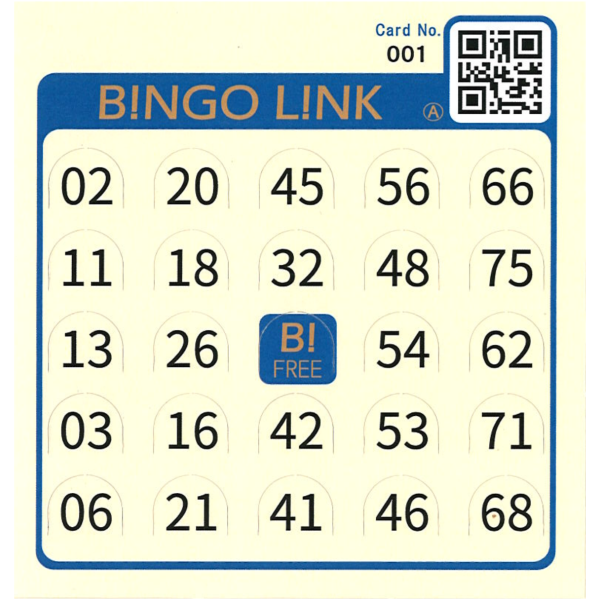
Instead of marking numbers with a pen, players punch out the called numbers by hand.
Card Size
99 × 105 mm / approx. 4 × 4 in
No installation is required. You can quickly preview the draw screen atmosphere and more.
Get the Windows version for free on Microsoft Store

In Japan, bingo cards are often used as both game cards and prize redemption tickets. Players punch out called numbers by hand, making bingo a fun physical experience that people of all ages can enjoy.
With paper bingo cards, participants can scan the card number QR code on their card and load it onto a smartphone. Reach and bingo checks are fully automated, so they can enjoy the event instead of desperately searching for each number.
With the official bingo cards, the numbers can still be pressed through as holes, so bingo remains fun even without a smartphone.
To use the virtual card feature, bingo cards with card number QR codes are required.
To display virtual cards with the same number layouts as commercially available paper bingo cards, or to check for bingo using QR codes, create a CSV file containing the card numbers and number layouts of the cards you will use, then import it in the app's Settings tab. Also, print the QR code labels generated by the app and attach each label to its corresponding paper card. The “Custom card layouts” feature is supported only in the browser version of BINGO LINK.
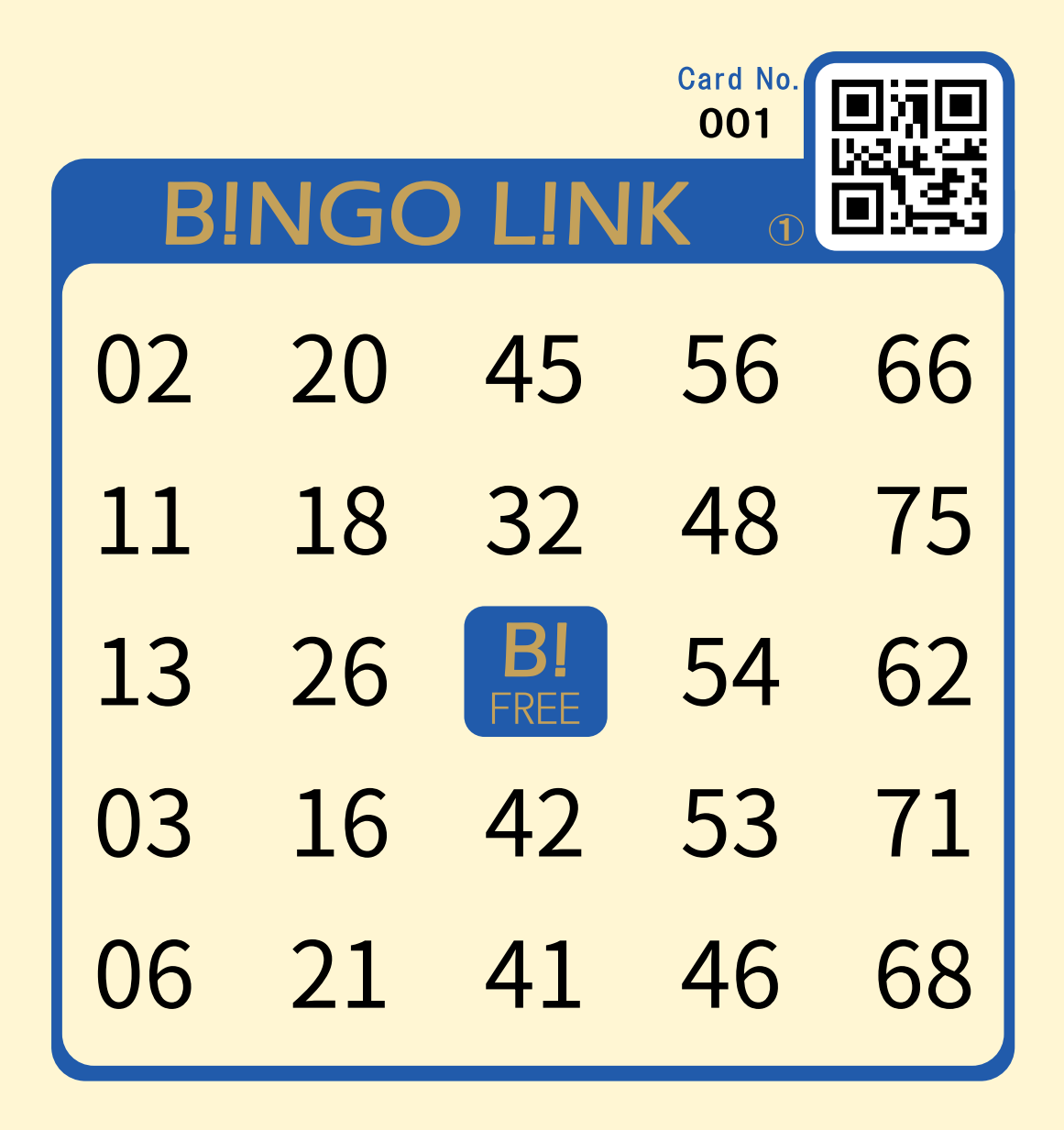

BINGO LINK solves common complaints such as “I cannot see the numbers from far away” and “It takes too long to find each number on my card.” With smartphone delivery in cloud mode, participants simply scan the participant app QR code and see the latest draw result on their own device in real time.
When they also scan the card number QR code on their paper bingo card, a virtual card is shown on the phone and reach / bingo checks are handled automatically.
It also solves the staff-side problem of manually checking paper cards. Staff members can scan the card number QR code on a participant's card and instantly see the bingo status, reducing long prize-claim lines caused by manual verification.
Even if the QR area is damaged and cannot be scanned, staff can still confirm the result instantly by entering the 3-digit card number.
You can even scan a friend's card number QR code and check their bingo progress too. Up to 10 cards can be displayed virtually.


The digital draw screen is large and easy for everyone to see. Built-in sound effects such as Japanese drums and drum rolls help create excitement and make the event feel more alive.
With multiple displays, projectors, or TVs, the draw becomes easier to see than with a small analog machine.
To set up multiple venue screens, you can use Windows multi-display support or open the board URL on browser-capable devices such as smart TVs or Fire TV Stick devices.
Browser-capable smart TVs and streaming devices are convenient, but older built-in browsers or lower-performance devices may show unstable updates or fullscreen behavior. Please test in advance and consider using a PC or tablet if needed.
The history of drawn numbers is also shown prominently at all times, so everyone can follow the game more easily.
When smartphone delivery is enabled, the upper-right corner of the draw screen also shows the participant app QR code.


If you prefer a traditional physical bingo machine, BINGO LINK also supports analog operation by entering only the drawn numbers.
Even with an analog machine, participants can check the drawn number on their smartphones and staff can confirm bingo instantly by scanning card number QR codes, giving both sides a smoother experience.
If you need to switch between digital and analog modes during an event, all previous draw results remain intact.

Here is a recommended flow to fully try BINGO LINK's smartphone-linked features before your real event.
Open the browser version from the top button and check the screens, sound effects, and overall feel right away. No installation is required, and the “mobile delivery demo” is also available.
Completely free / No installationIf you want to test the full draw and smartphone delivery flow, try the free Windows app.
After installing it on a Windows PC, you can use local delivery and actually play within the same network.
Even if you do not have paper cards on hand, entering a card number from 001 to 999 on a smartphone will show a virtual card, so you can test freely without extra cost.
Because local delivery is not HTTPS, some phones may block camera access due to security rules. In that case, participants can still display a virtual card by entering the card number.
Cloud delivery uses secure HTTPS communication, so camera access is normally available.
Completely free / Can work offline Get the Windows version from Microsoft StoreFor a live event, the browser version with cloud delivery is recommended because it is better suited for larger numbers of connections and more stable operation.
With cloud delivery, participants can scan the card number QR code on their paper card and immediately see their virtual card on their smartphone.
If you expect more than 10,000 participants in one event, please contact us in advance.
Cloud delivery / From JPY 400 per event day depending on participant and concurrent connection limits Buy BINGO LINK Official Bingo Card (with cloud 1 day pass) on Amazon Go to the cloud delivery pass purchase pageChoose the best operating style based on your venue size and network environment.
Because it uses the internet, participants do not need to join the venue Wi-Fi. They can check results from anywhere in the venue, making it ideal for large events with hundreds of people.
No internet connection is required. As long as devices are connected to the venue Wi-Fi router or local network, smartphones and the bingo system can work together. This is useful even in places with poor signal or underground venues. Windows app only.
This simple mode only shows draw results on a screen without participant smartphone integration. Just prepare normal bingo cards and you can start a familiar bingo game right away.
Post participant guidance: Place the participant app QR code where people at the bingo event can easily scan it.
Prepare the staff: Ask event staff to scan the staff app QR code in advance.

Launch the app: Ask participants to scan the participant app QR code at the venue with their smartphones.
Hand out and register cards: Distribute bingo cards with card number QR codes to participants and have them scan the card number QR code from the participant app.

Main drawing: Use the browser or Windows version of BINGO LINK to run the draw on a large screen and keep the event lively.
Smart bingo verification: When someone calls bingo, staff can simply scan that participant's paper card number QR code with the staff app for an automatic and accurate bingo check.

Choose from simple free styles to full-scale online operation depending on the features you want to use.
This is the most straightforward style. Use BINGO LINK as a digital draw machine without connecting participant smartphones.
Use the venue Wi-Fi on the same LAN to connect smartphones. No paper cards are required, and participants can play only with their phones.
Because virtual cards can be freely registered on smartphones, card numbers need to be assigned to participants in advance.
Windows app only.
Supports card number QR code scanning. By creating and distributing your own bi-fold cards printed with QR codes, you can run a smart and original bingo event using smartphones.
Use familiar paper bingo cards while also supporting card number QR code scanning. This is the plan that lets staff and participants enjoy the event the most.
Buy BINGO LINK Official Bingo Card (with cloud 1 day pass) on AmazonIf you would like to try BINGO LINK cloud delivery, we can issue a free trial API key.
Before your actual event, you can test in a near-production setup whether participants can see draw results on their smartphones, whether QR codes can be scanned, and how staff-side bingo confirmation works.
It can also be used for pre-event rehearsals, explanations for staff and organizers, or presentations while considering adoption.
Please email the information above to support@bingolink.ritoa.jp. After reviewing the details, we will issue a free trial API key.
Use commercially available bingo cards or cards you create yourself with BINGO LINK.
Import card numbers and their number layouts from a CSV file to use these features with cards whose layouts differ from the official BINGO LINK cards:
Supports 75-ball bingo cards with a 5×5 grid and a FREE center square. Available in the browser version of BINGO LINK only, not the Windows version.
Download a sample containing 50 card layouts (No.001–050) to try the import feature and see the CSV format. This is sample data, not a compatibility list for cards sold in your country. Replace the numbers with the exact layouts of your own cards before using them at an event.
Download sample bingo card layouts (CSV)
Sample version: 2026-09-21. The column layout_name contains the layout name. Use 0 for the FREE center square (r3c3).
In the browser app's Settings tab, select “Import from free CSV downloads” and choose “Sample bingo card layouts” to import the sample without saving the file manually.
These are bingo cards with card number QR codes for use with BINGO LINK. The participant app QR code to post at the venue is shown in the browser app and Windows app.
To scan a card number QR code with a smartphone camera, please use cloud delivery with an API key. With free local delivery, the camera may not open due to smartphone security restrictions.
Now available on Amazon Japan. These paper bingo cards with card number QR codes include a cloud 1 day pass. They are about as thick as a postcard and have the familiar feel of a real bingo card. They are also the only cards that let you press the numbers through to make holes. There is space in the upper-left corner for an event-name stamp. A one-line stamp is recommended.
A printable paper bingo card PDF with card number QR codes for people who want to print their own cards. Six cards are laid out on each A4 sheet. Because these are printed cards, the numbers cannot be punched through, so a pen or similar tool is needed.
Download PDF BINGO LINK 001-120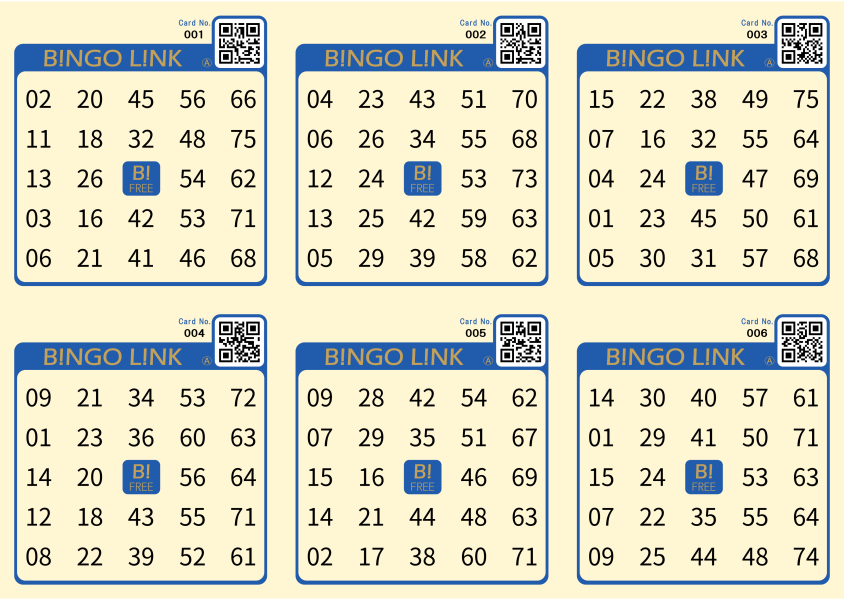
This PDF set contains the participant app QR code on the left and the card number QR code on the right for virtual card operation. You can run a bingo event by simply folding these cards in half and handing them to participants. Five cards are laid out on each A4 sheet. If you print your own cover or spine design on the reverse side, you can create cards that match the style of your event. This PDF can be downloaded only from inside the Windows app.
Available only when a cloud delivery API key has been entered.

These are card number QR code image assets for incorporating into your own original paper card designs. For events that want a more custom look, the package includes QR code images numbered 001 to 999.
Download BINGO LINK QRcode 001-999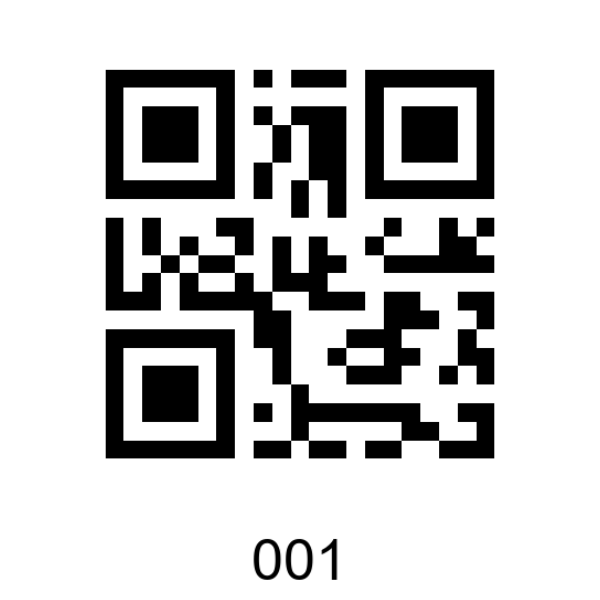
A one-page summary of BINGO LINK features. Use it for meetings and explanations at community, children’s group, school, or company events.
Download A4 Flyer (PDF)